Location Page SEO: Only Publish With Local Evidence

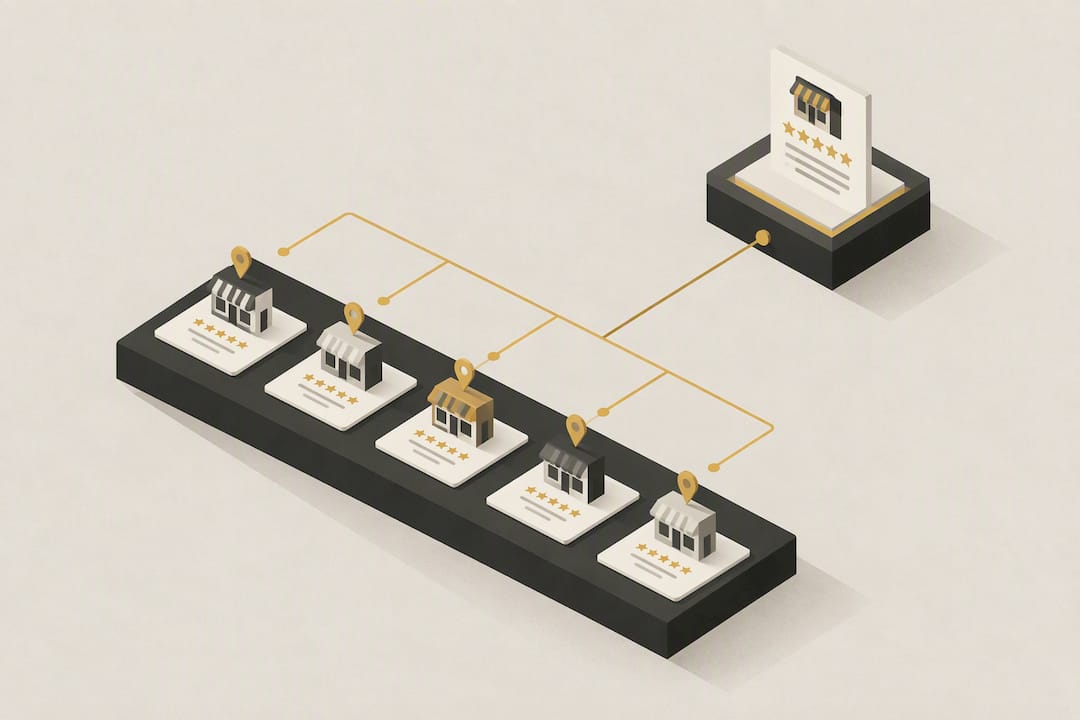
A location page is a dedicated URL for a real branch, office, or service area, built to answer what you offer, where, and how to get in touch. The single most important rule: only publish one if you can back it with genuine local evidence, staff, reviews, photos, or case studies, because Google treats thin, near-identical city pages as doorway spam.
TL;DR:
- Building location pages requires genuine local evidence like staffing, reviews, photos, and services to avoid Google’s classification as doorway spam.
- A high-quality location page must match NAP data exactly, include local-specific content, and feature a clear call-to-action for effective conversions.
- URL structures should be consistent and descriptive, with titles, H1s, and meta descriptions aligned to the exact location and service offered.
- Use localBusiness schema markup accurately to support visible page content, ensuring facts match what users see, and validate it with proper testing tools.
- Prioritize collecting real evidence and authenticity over quantity; thin or duplicate pages are less valuable than fewer, well-supported location pages.
Table of Contents
- What counts as location pages SEO, and when should you build one?
- What must a high-performing location page include?
- How should you structure URLs, titles and headings for local SEO?
- Which structured data should location pages use?
- Should you build a service-area page or a physical location page?
- How do you scale location pages without creating doorway content?
- What does a modular location page template actually look like?
- How do you measure and maintain location page performance?
- What does Blindspot see going wrong in real location page audits?
- Why “just add more pages” is the wrong advice most agencies give
- How Blindspot turns location pages into enquiries
- Sources
- FAQ
What counts as location pages SEO, and when should you build one?
Location pages SEO means creating and optimising individual pages for each real place your business serves, distinct from a single generic “areas we cover” page. The confusion starts with terminology: a location page represents a physical premises customers can visit, while a service-area page covers a territory you travel to without a storefront there. Treating these as interchangeable is where most local landing pages go wrong.
The distinction matters because Google’s guidance on representing a business online explicitly flags near-duplicate regional pages built purely to funnel visitors as doorway abuse. A location page tied to a genuine branch is fine. Twenty city pages with swapped place names and identical paragraphs underneath are not.
Before building any location page, check it against a short eligibility list:
- Is there a real address, staff presence, or booked appointments happening there?
- Can you show inventory, stock, or service availability specific to that site?
- Do you have reviews, testimonials, or case studies from customers at that location?
- Is there something locally distinct to say, an event, a partnership, a regional service variation?
- Would the page still be useful if search engines didn’t exist?
That last question is the one Google itself asks, and it’s the fastest way to catch a page you’re building for algorithms rather than people. If you answer “no” to most of these, hold off. A gap in your location coverage is less damaging than a page that reads like a mail merge.
What must a high-performing location page include?
A location page has one job beyond ranking: convince a nearby customer to call, book, or drive over. Every element on the page should serve that goal directly.
Start with the basics that most guides mention but few execute cleanly. Your NAP (name, address, phone number) must match your Google Business Profile and citations exactly, down to abbreviations like “St.” versus “Street.” Inconsistency here quietly undermines the entire page’s credibility with both users and search engines, and it’s one of the most common issues found during local SEO audits.
Beyond NAP, a strong page includes:
- Opening hours, ideally pulled live from your Google Business Profile so they never drift out of sync
- A clear address block with an embedded map and written directions, including parking or access notes for anyone unfamiliar with the area
- A primary call-to-action above the fold, whether that’s a click-to-call button, a booking widget, or a “get directions” link
- Services specific to that site, not a copy-pasted list from head office
- Staff bios or team photos for that branch, which do more for trust than any amount of copy
- Original photography of the premises, not stock images of a generic shopfront
- Reviews and testimonials attributed to that specific location, not a blended company-wide feed
- A short FAQ answering questions customers in that area actually ask, such as parking availability or same-day appointment slots
The strongest pages combine local specifics with a clear next step rather than treating content and conversion as separate concerns, a pattern that runs through most well-optimised location pages according to Google’s own spam guidance.
Pro Tip: If a location has fewer than three genuine local reviews, don’t fake volume with a generic testimonial slider. Show the honest number and add a staff photo instead. A thin but authentic page outperforms a padded but hollow one over time.
How should you structure URLs, titles and headings for local SEO?
Get the structural basics wrong and no amount of good content will save the page. Follow these five rules in order.
-
Use a consistent, descriptive URL pattern. Something like
/locations/brighton/or/locations/brighton/hvac-repair/reads clearly to both users and crawlers, a structure recommended repeatedly by Ahrefs’ guidance on location pages. Avoid query strings or auto-generated IDs. -
Align your title tag, H1 and opening paragraph with the exact service and place. If the title promises “Emergency Plumber in Chichester,” the H1 and first sentence should say the same thing, not a vaguer variant. Mismatched signals confuse both readers and rankings.
-
Write a meta description that states the offer plainly, ideally under 155 characters, without cramming in every keyword variant you can think of. One clear sentence beats three keyword-stuffed fragments.
-
Link every location page from your main navigation, an HTML sitemap, and an XML sitemap. Hiding pages behind an uncrawlable store-locator widget is a common reason otherwise good pages never get indexed, a point BrightLocal raises repeatedly in audits of underperforming local sites. Internal links from nearby location pages and relevant blog content also help discoverability.
-
Prioritise mobile rendering and page speed. Most local searches happen on a phone, often while someone is already near your business. Compress images, name files descriptively (
brighton-showroom-exterior.jpgrather thanIMG_4821.jpg), and write alt text that describes the actual photo rather than repeating your target keyword.
Canonical tags matter here too: if you have a service-plus-location page and a location-only page covering similar ground, make sure one points to the other as canonical rather than letting both compete for the same query.
Which structured data should location pages use?
LocalBusiness schema, or a more specific subtype where one exists (such as Plumber, Dentist, or HVACBusiness), tells search engines what’s already visible on the page in a machine-readable format. It doesn’t add new information; it corroborates what a visitor can already read.
Include, at minimum:
- Business name, address and phone number matching the visible NAP exactly
- Geographic coordinates
- Opening hours, formatted correctly for each day
- The page’s own URL
- Aggregate rating, only if genuine review data backs it
The critical rule, easy to miss under deadline pressure, is that markup must only describe facts genuinely visible on the page. Google’s structured data documentation is explicit that mismatched or invisible markup violates policy and can trigger manual issues rather than rich results.
Structured data functions as corroboration, not a ranking lever. It must mirror what’s on the page to be worth anything at all.
Validate every implementation with the Rich Results Test, cross-check with a Schema Markup Validator, and inspect the live URL in Search Console to confirm Google is actually reading what you intended. Google’s own guidance on structured data testing recommends monitoring performance before and after changes rather than assuming markup alone moves rankings. Structured data helps machines understand a page correctly. It never guarantees a rich result, and treating it as a shortcut wastes effort better spent on content.
Should you build a service-area page or a physical location page?
The decision hinges on one question: does this business have a real, staffed premises at the address in question, or does it travel to the customer?

A locksmith, mobile groomer, or HVAC installer without a public-facing branch in a given town should build a service-area page, not pretend a location exists. These pages need to be honest about coverage: which postcodes or towns you actually reach, typical travel or response times, and how booking works logistically. Search Engine Land’s guidance on service-area pages stresses that these pages target customer locations, not business premises, and need distinct value to avoid doorway treatment.
Use this rough split when deciding:
- Physical location page: staffed address, walk-in customers, visible signage, local stock or inventory
- Service-area page: no public premises in that town, technicians dispatched from a central base, coverage defined by postcode or radius
Whichever type you build, the trap is identical: five service-area pages for five nearby towns, each with reshuffled sentences saying the same thing. Vary the actual content, local FAQs about parking or same-day slots, typical job types in that area, honest travel-time ranges, rather than the adjectives.
How do you scale location pages without creating doorway content?
The safest scaling model splits every page into shared brand modules and location-unique modules, then holds the unique share to a real threshold. Industry guidance suggests aiming for at least 40 to 60% genuinely unique content per page, a benchmark BrightLocal recommends specifically to stop subjective “it’s probably fine” decisions from producing doorway patterns at scale.
- Build a shared module for brand story, core service descriptions, and company-wide accreditation. This stays consistent across every page.
- Build a unique module per location: staff bios, a local case study, original photography, and a short FAQ addressing that area’s actual questions.
- Set an indexation gate. If a page can’t clear your uniqueness threshold yet, keep it unpublished or noindexed rather than live and thin.
- Assign a content brief per location that names the specific evidence needed, completed local jobs, a named staff member, a real testimonial, before a writer starts drafting.
- Syndicate reviews at the location level, pulling from your Google Business Profile rather than a blended, company-wide feed.
Pro Tip: Keep a shared spreadsheet tracking which locations have real photos, real reviews, and a real local case study. Any location missing two of the three isn’t ready to publish, no matter how close the deadline.
What does a modular location page template actually look like?
Breaking a page into reusable modules keeps quality consistent without forcing every location into an identical script. Three zones do most of the work.
The above-the-fold module carries your H1, a one-line unique selling point, your aggregated star rating if genuine, and a primary call-to-action. Keep this section to roughly 80 to 120 words; it needs to load fast and convert immediately, not narrate your company history.
The middle modules carry the substance: services available at that specific site, staff photos and short bios, a local case study or before-and-after project, and original photography of the premises. This is where most of your uniqueness budget should go.
The footer modules handle logistics and machine-readable backup: an FAQ answering local questions, embedded map and directions, your structured data snippet, and internal links to two or three nearby locations to help both users and crawlers navigate your network.
A page assembled this way usually lands between 500 and 800 words, enough to be substantial without padding.
How do you measure and maintain location page performance?
Track four things consistently, and check them on different schedules rather than all at once.
- Local keyword rankings for “service + city” phrases, tracked weekly or monthly depending on competitiveness
- Search Console clicks and impressions filtered by page, to spot which locations are gaining or losing visibility
- Google Business Profile insights, particularly views, calls, and direction requests, which show intent that never reaches your website
- Call tracking or form conversions attributed to each specific location page, not just site-wide totals
For tools, Google Search Console and Google Business Profile insights cover most of this without extra spend; a dedicated rank tracker adds keyword-level detail across multiple towns at once.
Refresh cadence matters as much as the initial build. Update hours or closures the moment they change, since a wrong “open now” status actively damages trust. Check reviews and content accuracy monthly. Run a fuller audit, covering NAP consistency, structured data validity, and photo freshness, every quarter.
What does Blindspot see going wrong in real location page audits?
Across client audits, the same handful of faults recur. Inconsistent NAP between the website and citations tops the list, often a leftover “Street” versus “St.” mismatch nobody noticed. Close behind: near-identical copy across three or four nearby town pages, and maps or contact details buried below several screens of filler text that nobody scrolls to reach.
Quick wins usually fix themselves in an afternoon:
- Link the Google Business Profile directly to its matching location page
- Add two or three original photos per site, replacing any stock imagery
- Add one genuine local testimonial rather than a company-wide quote
- Move the map and phone number above the fold
Escalation items take longer: rebuilding thin service-area pages with real local evidence, or restructuring a template that’s been copy-pasted across a dozen towns with only the place name swapped.
Why “just add more pages” is the wrong advice most agencies give
The conventional advice on scaling local visibility is almost always “build more location pages.” That’s backwards. The research consistently points the other way: fewer pages with real evidence beat a large set of thin ones, and the insight embedded in Google’s own guidance reframes the question entirely, from how many towns you can cover to which pages genuinely deserve to exist.
What’s overrated is technical polish applied to a page with nothing to say. Perfect schema markup and a flawless URL structure won’t rescue a page built on copy-pasted paragraphs and a stock photo. What’s underrated is the unglamorous groundwork: collecting a real testimonial, photographing an actual branch, writing down the three questions customers in that town keep asking on the phone.
If you’re prioritising one thing this quarter, prioritise evidence gathering before you write a single word of new copy. A partner resource worth reading on this exact failure mode is Save Your App’s breakdown of why landing pages underperform, which makes a similar case for product fit over volume. Build the page only when you’ve got something true and specific to put on it.
— Harry
How Blindspot turns location pages into enquiries
Some agencies offer an alternative to guessing your way through local SEO alone: instead of generic templates, they audit each location for real evidence, staff, reviews, photos, local case studies, before writing a single page, then build the technical layer (structured data, URL structure, business profile alignment) properly around it.
This work suits local service businesses particularly well: trades, security firms, clinics, and installers who need location pages that convert rather than just exist. Our SEO & GEO service covers exactly the ground this guide walks through, from technical audits to content that reflects genuine local presence rather than swapped place names. For businesses wanting local social proof woven into that content, our social media marketing service helps collect and syndicate the reviews and user-generated content that make each page distinct.
If your current location pages feel identical across towns, or your Google Business Profile isn’t linking through cleanly, get in touch through Blindspot for an audit. We’ll tell you honestly which pages are worth building and which aren’t yet.
Sources
- Spam policies — Google Search Central
- Guidelines for representing your business on Google — Google Business Profile Help
- Optimising location pages — Ahrefs
FAQ
What Are the 7 Key Location Factors for Local SEO?
There’s no single official list, but practitioners generally point to NAP consistency, Google Business Profile alignment, on-page relevance, structured data, reviews, backlinks from local sources, and mobile performance. Definitions vary slightly between guides, so treat this as a practical grouping rather than a fixed standard.
How Do I Create a Location Page That Actually Ranks?
Start with genuine local evidence: staff, photos, reviews, and services specific to that site, then build the page around a stable URL like /locations/city/, matching title tag and H1, and LocalBusiness schema validated with the Rich Results Test. Skip the page entirely if you can’t back it with real local specifics.
What Is the 80/20 Rule in SEO?
The principle matters more than the precise ratio: shared templates should never dominate the page.
What Does an SEO Page Mean in Practice?
An SEO page is any page deliberately structured and written to rank for a specific search intent, in this context, a location page built to rank for “service plus place” queries. It combines on-page elements like titles and headings with genuine content value, since structure alone rarely ranks without substance behind it.
Does Blindspot Build Location Pages for Clients?
Yes, location page strategy and build sits within Blindspot’s SEO & GEO service, covering audits, content, and technical implementation together. Current pricing for this and other packages is available directly on the Blindspot site.