10–15 Minutes Weekly: Google Business Profile Optimisation for Trades

Google Business Profile optimisation means completing every field of your free Google listing and keeping it active, not setting it up once and forgetting it. Verification now leans on live video for many new or edited profiles, and Google weighs recent activity more heavily than it did even a year ago. Complete your core details, then build a weekly habit around photos, posts and reviews.
TL;DR:
- Regular updates, such as weekly photos and posts, significantly improve local search visibility and business impact over time.
- Verification increasingly relies on live video walkthroughs, requiring on-site preparation and quick, factual showings to succeed.
- Completing all profile fields accurately, especially categories, descriptions, and attributes, directly influences ranking and customer inquiries.
- Responding promptly to reviews and maintaining a consistent activity rhythm signals an active, trustworthy business to Google.
- Ongoing profile maintenance is essential, with a routine of weekly, monthly, and quarterly checks to prevent ranking declines and address issues early.
Table of Contents
- Google Business Profile optimisation checklist for the next 20 minutes
- How do I claim and verify a Google Business Profile?
- Which profile fields actually affect ranking and enquiries
- Building a photo, post and review rhythm that actually sticks
- What should you track in GBP Insights each month?
- Mistakes that quietly wreck your ranking
- A practitioner’s weekly routine for staying on top of GBP
- Why treat your profile as a living asset, not a form you filled in once
- Done-for-you Google Business Profile optimisation from Blindspot
- Sources
- FAQ
Google Business Profile optimisation checklist for the next 20 minutes
Before anything else, run through this list. It covers the fields and habits that move the needle fastest, and most take minutes rather than hours.
- Verify your profile and keep verification assets (proof of address, ID, business documents) ready to hand.
- Confirm your exact legal business name and check your primary category still matches what you actually do.
- Check your NAP (name, address, phone) and opening hours match your website and other directories exactly.
- Upload a cover photo, logo and one new photo taken this week, not pulled from stock.
- Ask two recent customers for a review and reply to every review currently sitting unanswered.
- Publish a Google Post and seed two Q&A entries with the questions you get asked most on the phone.
Pro Tip: Do the review replies first. Google can see the gap between when a review lands and when you respond, and a fast, personal reply signals an active business far more convincingly than a five-star average alone.
How do I claim and verify a Google Business Profile?
Claiming is the easy part. Verification is where most owners get stuck, particularly now that Google’s 2026 guidance leans more on live video walkthroughs for new listings and significant edits.
- Search your business name on Google or go to business.google.com to check whether a profile already exists before creating a duplicate.
- Claim or add the listing, entering your name, address, category and phone number exactly as they appear on your website.
- Choose a verification method when prompted. Options typically include phone, email, postcard or video, though Google increasingly defaults eligible businesses to video.
- Prepare for video verification by having someone on site, exterior signage visible, and access to areas that prove you operate from the address (till point, workshop, reception desk).
- Keep the call short and factual. Show the sign, show the interior, show anything with your business name on it.
If verification fails or stalls, don’t resubmit blindly. Check the address matches your utility bills or lease exactly, and contact Google’s support channel rather than creating a second listing, which almost always causes more problems than it solves.
Which profile fields actually affect ranking and enquiries
Google states plainly that verified, complete, accurate profiles are easier to match to relevant searches, and that alone should settle any debate about whether filling in “optional” fields is worth the time. Every field here does something specific.
- Business name: use your real trading name only. No keyword stuffed additions like “Best Plumber Brighton”, which breaches Google’s own guidelines and risks suspension.
- Address and service area: for a shop or clinic, use the exact address. For a mobile trade, set a service area radius instead of a fake storefront address.
- Special hours: update these ahead of bank holidays. A profile showing “Open” on Christmas Day when you’re shut does real damage to trust.
- Primary category: pick the single most specific option available, “Emergency Locksmith” rather than the generic “Locksmith”, if that’s genuinely your trade.
- Secondary categories: add every category that’s honestly true. These widen the searches you can appear for without diluting your primary listing.
- Business description: write two or three tight sentences in plain English covering what you do, who you serve, and a clear call to action. Skip the adjectives and get to the point.
- Products and services: list these individually with short descriptions. Google documents these fields specifically because they let searches match your listing to what someone actually typed.
- Attributes: tick every one that applies, wheelchair access, outdoor seating, women-led, and so on. These filter into Maps searches directly.
Retailers get an extra lever here: eligible UK merchants connected to supported point-of-sale systems can showcase live in-store product listings, which is worth checking if you run a shop rather than a service business.
Building a photo, post and review rhythm that actually sticks
A profile optimised once and left alone slides backwards, because Google reads recent activity as a signal of a business that’s genuinely trading and worth surfacing.
- Photos: start with your storefront or van, your team at work, and finished jobs or products. Add one new photo a week minimum, and always geotag on-site shots.
- Google Posts: alternate between offers, events and “what’s new” updates. A weekly post is achievable for most small teams; fortnightly is the bare minimum.
- Q&A: don’t wait for customers to ask. Seed the five questions you hear most on the phone (parking, pricing, callout times) and answer them yourself before anyone else does, badly.
- Review requests: ask in person or by text straight after the job, when satisfaction is highest. A simple line like “Would you mind leaving us a quick Google review? It helps other people in the area find us” outperforms generic follow-up emails.
Pro Tip: Reply to every review, good or bad, within 48 hours. A short, specific reply to a negative review often persuades more prospective customers than ten five-star ratings with no owner response at all.
Practical guides consistently point to steady photo uploads and review responses as the two habits that separate profiles that keep climbing from ones that plateau.
What should you track in GBP Insights each month?
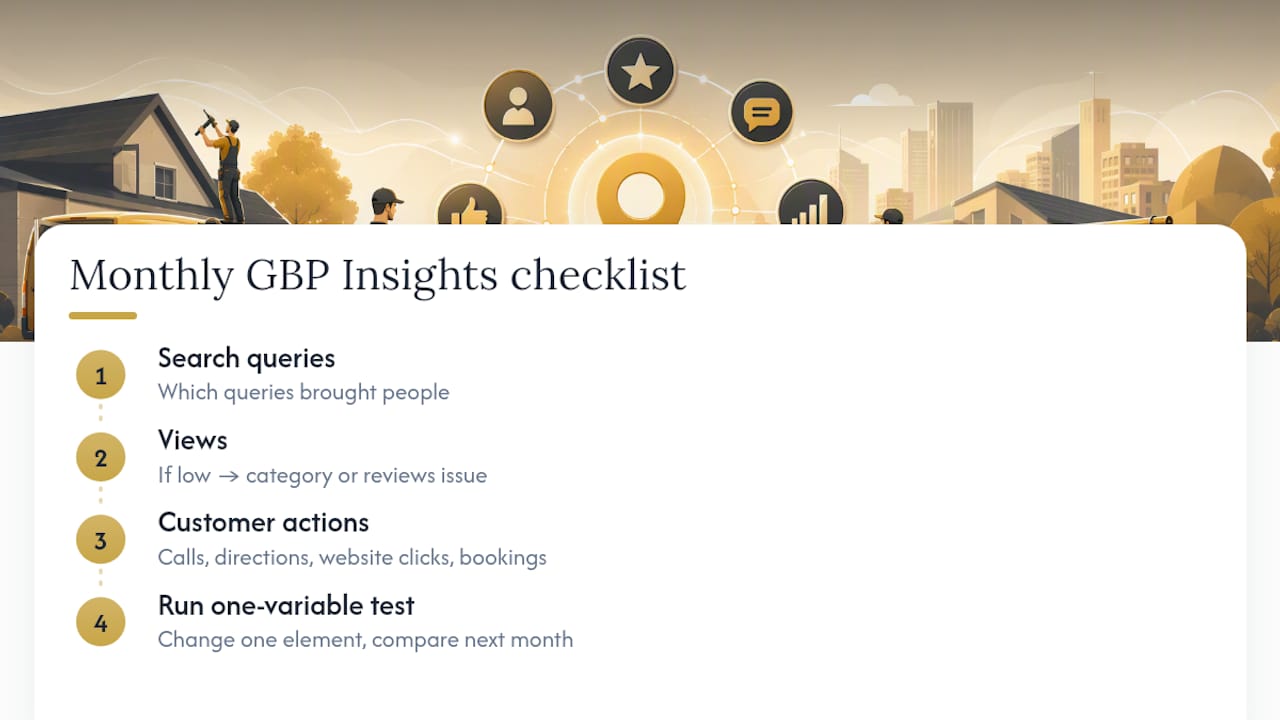
GBP Insights reports three things worth checking monthly: search queries bringing people to your listing, how many people viewed it, and what they did next (calls, direction requests, website clicks, bookings).
If views are healthy but actions are low, your listing is being found but not converting. That points to weak photos, a thin description or missing hours, not a visibility problem. If views themselves are low, the issue sits further upstream, likely category choice or a weak review count. Run a simple monthly test: change one variable, a secondary category, your lead photo, or your post type, then compare the next month’s Insights before changing anything else.
Mistakes that quietly wreck your ranking
Google’s own guidance flags keyword-stuffed names and inconsistent listings as direct problems, not stylistic quibbles.
- Keyword-stuffed names breach Google’s guidelines outright and can trigger suspension. Fix it by reverting to your legal trading name in the business dashboard.
- Duplicate listings split your reviews and confuse the relevance/distance/prominence signals Google uses to rank you, as industry analysis explains. Request merging or removal of the older listing through Google’s support tools.
- Inconsistent NAP across directories weakens the prominence signal. Audit your top ten citations quarterly and correct any mismatch.
- Stale profiles with no posts or photos for months lose ground to competitors who post weekly, even with fewer reviews overall.
If you’re suspended, don’t panic and don’t create a replacement listing. Submit a reinstatement request through Google’s support form, provide clear proof of trading address and ownership, and expect a wait of days rather than hours.
A practitioner’s weekly routine for staying on top of GBP
Ten to fifteen minutes a week is enough if you’re consistent: one new photo, one post, replies to any new reviews, and a quick glance at Insights for anything unusual.
- Weekly: photo, post, review replies, Insights check.
- Monthly: category review, Q&A refresh, NAP audit against directories.
- Quarterly: full description rewrite if services have changed, photo set refresh.
When Blindspot audits a local service business, category choice, photo mix and review velocity are the first three things checked, because they’re usually where the biggest gaps sit. Multi-location businesses or profiles hit with suspension almost always need specialist escalation rather than DIY fixes.
Pro Tip: Set a recurring calendar reminder for the same day each week. GBP maintenance dies the moment it depends on remembering rather than scheduling.
Why treat your profile as a living asset, not a form you filled in once
The businesses that see steady enquiry growth from their listing are the ones treating it like a shopfront window that needs dressing every week, not a form submitted once and forgotten. The pattern Blindspot sees repeatedly with local service clients is simple: consistent weekly activity moves visibility over six to twelve weeks in a way that a one-off optimisation push never does. If you can commit fifteen minutes a week, do it yourself. If you can’t, that’s precisely the point at which handing it to an agency stops being a luxury and starts being the sensible move.
— Harry
Done-for-you Google Business Profile optimisation from Blindspot
There are specialist teams that treat your profile as an ongoing weekly job, not a one-off tick box exercise. That matters most for security firms, builders, trades and other local service businesses where enquiry volume lives or dies on whether Google trusts your listing enough to show it.
Some services cover a full audit of your current profile, verification support if you’re stuck, structured review outreach, a photo and post schedule, and monthly reporting against Insights metrics so you can see what’s actually working. It suits any local business finding the weekly discipline hard to maintain alongside running the actual business. The SEO & GEO service covers this alongside wider local search visibility work, and content support through photo and video production keeps your profile stocked with fresh material rather than the same three images from launch day.
First steps are straightforward: an audit of your current profile and a short plan covering what needs fixing and what needs building. Get in touch through Blindspot’s services page to start.
Sources
- Tips to improve your local ranking on Google
- How to Optimize Your Google Business Profile (step-by-step)
- Google Business Profile Optimization Tips to Drive Visibility
- Google Business Profile Optimization Guide (2026)
FAQ
What does Google Business Profile optimisation actually do?
It makes your free Google listing more likely to appear in relevant local searches and Maps results, and more likely to convert once someone finds it. Completing every field and staying active are the two levers Google itself points to as improving local ranking.
Is local SEO dead or evolving in 2026?
It’s evolving, not dying. Verification standards have tightened with more live video checks, and Google now weights recent activity more heavily, so the tactics that worked with a set and forget profile no longer hold up on their own.
How much does Google Business Profile optimisation cost?
You can do the core work yourself for free using Google’s own dashboard, since GBP itself carries no charge. If you’d rather hand it to a specialist, Blindspot’s current pricing for its SEO & GEO service is available on request through the site.
How do I set up and optimise a Google Business Profile from scratch?
Search your business name on Google first to avoid creating a duplicate, then claim or add the listing at business.google.com with your exact name, address and category. Verify using the method offered, often video in 2026, then work through categories, description, photos, products and attributes before settling into a weekly posting and review routine.